
The traditional pedagogy surrounding foundational industrial processes like sand casting has long been constrained by significant practical and economic barriers. In my experience and observation, instruction in these critical techniques predominantly relies on static textbooks, simplistic physical demonstrations, or passive video observation. This conventional approach is often ineffective, failing to engender deep understanding or practical competency. It is inherently non-interactive and cannot adequately convey the spatial, temporal, and procedural complexities inherent in a multi-step process like sand casting. While hands-on practice in a dedicated foundry lab is the ideal pedagogical method, it is prohibitively expensive for most institutions to establish and maintain. Furthermore, it introduces substantial safety risks to inexperienced students, including exposure to high-temperature molten metals, airborne particulates, and heavy machinery.
Driven by the urgent need for educational reform—aiming to enhance pedagogical quality while simultaneously reducing cost and risk—my team and I embarked on a project to harness cutting-edge virtual reality (VR) technology. Our objective was to design and develop a comprehensive, immersive, and interactive virtual training system that meticulously simulates the complete gravity sand casting process. We chose to focus on manual mold-making, the most commonly taught variant in engineering workshops, to solidify students’ grasp of fundamental casting principles. The core vision was to create a virtual sandbox where learners can freely explore, manipulate tools, execute procedures, and witness the consequences of their actions—all within a completely safe and controlled digital environment.
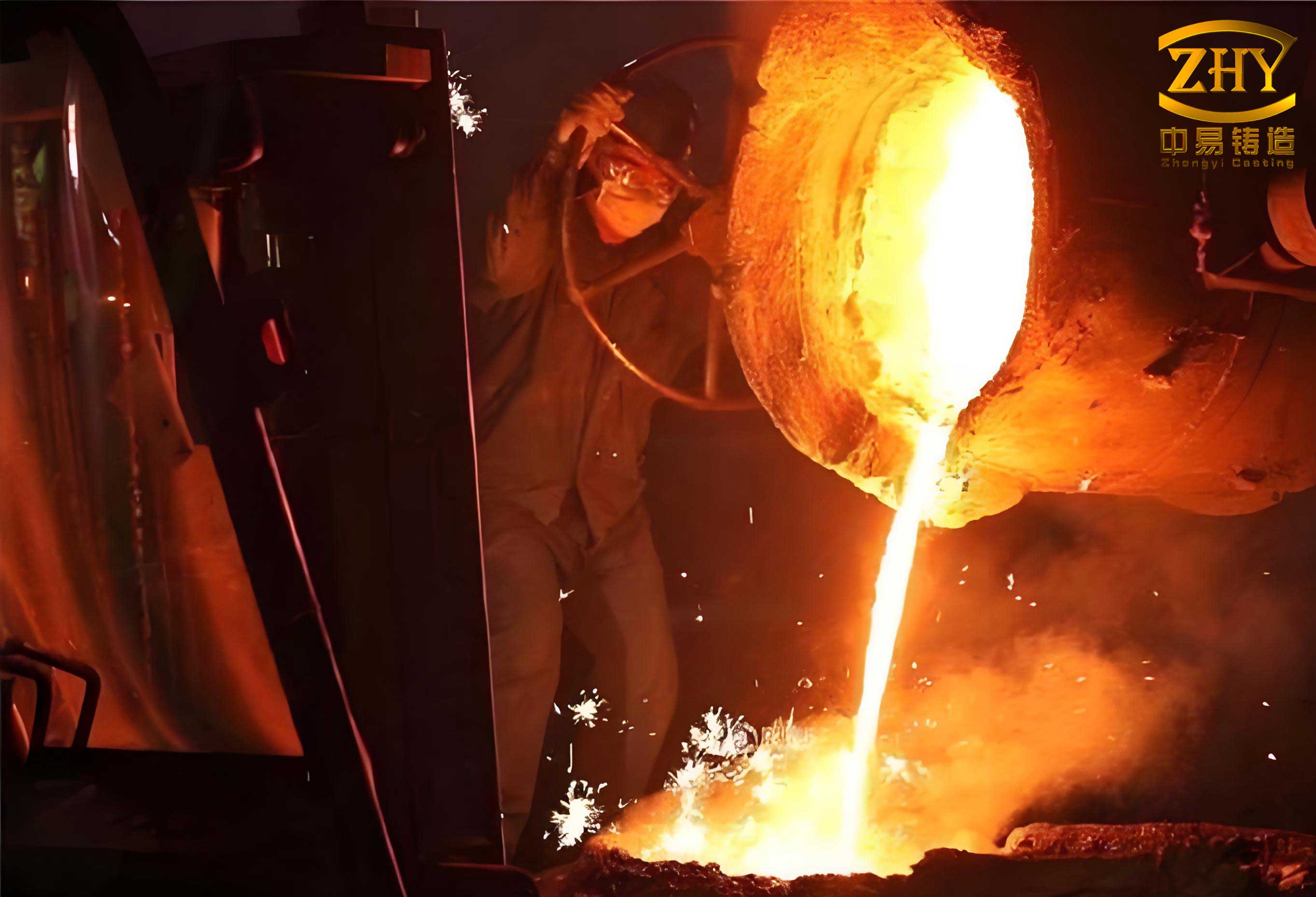
The foundational knowledge required for this development is twofold: a deep understanding of the sand casting process itself, and mastery of the software pipeline for creating interactive 3D simulations. The gravity sand casting process is a sequence of logically connected steps. It begins with pattern making, followed by mold making which involves placing the pattern in a drag flask, filling it with molding sand, ramming, placing the cope flask, adding the sprue and riser patterns, ramming again, removing the patterns, cutting gates, and finally closing the mold. The subsequent steps involve metal melting, pouring, solidification, cooling, shakeout, and finishing operations like cutting off the gating system. A simplified schematic of the core mold-making and pouring sequence can be represented as a process flow, but our virtual system aims to bring each of these steps to life in three dimensions.
To translate this physical process into a digital experience, we architected a robust technical pipeline leveraging industry-standard tools, each serving a distinct and critical purpose in the asset creation and system integration workflow.
| Development Phase | Primary Software/Tool | Core Function & Rationale for Selection |
|---|---|---|
| 1. 3D Modeling | Siemens NX (UG) | Creation of high-precision, manufacturable CAD models for all tools, patterns, flasks, and the final cast part. Its parametric and history-based modeling ensures accuracy and ease of modification. |
| 2. Mesh Optimization & Animation | Autodesk 3ds Max | Processing of CAD models for real-time use (mesh retopology, polygon reduction). Creation of keyframed animations for all dynamic processes (ramming, pattern removal, pouring, etc.). Application of textures and materials. |
| 3. Physics & Process Simulation | Huazhu CAE (Foundry Simulation Software) | Generation of scientific data for supplementary educational content, specifically simulating the temperature field and solidification sequence of the molten metal within the mold cavity. |
| 4. System Integration & Logic | Unity3D Game Engine | The central development platform. Used for scene assembly, lighting, UI design, scripting interactive logic, sequencing animations, and building the final executable application for target platforms (PC, VR). |
| 5. Programming & Scripting | C# Language within Unity | Implementation of all interactive behaviors, user interface (UI) responses, animation state control, scene management, and data handling. C# was chosen for its robustness, strong typing, and seamless integration with Unity. |
The development workflow followed a linear, staged approach, as summarized below:
Process Definition → 3D Modeling (UG NX) → Animation/Texturing (3ds Max) → Simulation (Huazhu CAE) → Integration & Scripting (Unity3D/C#) → Testing & Deployment.
Pre-Development: Asset Creation and Process Simulation
The first concrete step in building the virtual sand casting training system was the creation of all digital assets. Using Siemens NX, we modeled every physical component required for the manual green sand casting process. This library included:
- Patterns: Split patterns for the chosen benchmark casting (e.g., a simple pulley wheel).
- Tooling: Drag and cope flasks, rammers (peen and butt ends), strike-off bar, sprue pin, riser pin, trowel, lifter, bellows, swab, slick, and vent wire.
- Consumables: A representation of molding sand (though its behavior is procedural).
- Foundry Equipment: Crucible, ladle, furnace (simplified for context).
The models were initially created with high geometric fidelity suitable for manufacturing. However, for real-time rendering in Unity3D, polygon count is a critical performance factor. Therefore, a necessary secondary step involved exporting these models to 3ds Max for retopology—the process of simplifying the mesh while preserving the essential visual form. A balance was struck between visual quality and interactive frame rate.
With optimized meshes in place, the next phase in 3ds Max was animation. Each procedural step in the sand casting workflow was broken down into discrete animated sequences. For instance:
- Ramming Animation: The rammer tool moves in a realistic pounding motion over the sand-filled flask.
- Pattern Draw Animation: The pattern piece translates vertically out of the molded sand cavity smoothly.
- Pouring Animation: The ladle tilts, and a particle system or animated texture stream is used to simulate the flow of molten metal into the sprue.
These animations were baked into keyframes and exported in the FBX format, which preserves the mesh, hierarchy, and animation tracks for import into Unity3D.
To add a layer of advanced scientific visualization beyond the manual steps, we integrated results from a dedicated foundry simulation package, Huazhu CAE. The process for this integration is technical but crucial for showing the “invisible” physics of casting:
- The 3D model of the final casting (without the gating system) was exported from UG NX in STL format, the standard for CAE mesh representation.
- This STL file was imported into Huazhu CAE software. A finite element mesh was generated, and pre-processing defined the material properties (cast iron, aluminum, etc.), initial boundary conditions (mold temperature, metal pouring temperature), and thermophysical parameters.
- The solver calculated the transient temperature field over time. The output is a sequence of time-step files showing the progressive cooling and solidification of the metal.
- These results can be visualized in two ways within our Unity system:
- As a 2D Video Overlay: The time-step images are compiled into an AVI video file that can be played on a screen within the virtual lab.
- As a 3D Texture Mapping (Advanced): The temperature data is mapped onto the 3D model of the casting inside the virtual mold, using a color gradient (e.g., red for hot, blue for cold) that updates in real-time, providing an immersive view of the solidification front progression.
The governing equation for this heat transfer process, simplified for the purpose of this educational module, is the transient heat conduction equation:
$$ \rho c_p \frac{\partial T}{\partial t} = \nabla \cdot (k \nabla T) + Q $$
where \( \rho \) is density, \( c_p \) is specific heat capacity, \( T \) is temperature, \( t \) is time, \( k \) is thermal conductivity, and \( Q \) represents a latent heat source term accounting for the phase change during solidification. While our virtual system does not solve this equation in real-time, it visualizes the results from an offline CAE solver, bridging the gap between manual operation and underlying engineering science.
Core System Development in Unity3D
With all assets prepared, the central task of integration and logic implementation began within the Unity3D editor. This phase involved structuring the virtual experience, creating the user interface, writing interaction scripts, and finally building the standalone application.
User Interface (UI) and Scene Architecture
The user’s journey starts with a welcoming scene designed for intuitive navigation. We employed Unity’s Canvas system and UI components (Buttons, Raw Images, Text elements) to create a clean, responsive interface. To ensure visual consistency across different screen resolutions, most textual information was baked into high-resolution PNG images created in Photoshop, which were then imported as UI Sprites. This prevents font scaling artifacts. The main menu provides structured access to the system’s modules:
| Menu Option | Description |
|---|---|
| Process Overview | A linear, step-by-step guide with narrated animations and text descriptions of the entire sand casting sequence. |
| Interactive Training | The core module. Users enter a first-person or third-person virtual foundry where they can freely select tools and perform the sand casting steps on their own, guided by context-sensitive prompts. |
| Tool Library | A 3D gallery where users can inspect each tool (rammer, trowel, flask, etc.) up close, rotate it, and read about its specific function. |
| Simulation & Theory | Accesses the CAE-generated solidification videos and displays key theoretical formulas and principles related to fluid flow, heat transfer, and defect formation in sand casting. |
| Safety & Notes | Highlights critical safety precautions that would be mandatory in a real foundry, reinforcing good practice even in the virtual environment. |
Scripting Interactive Logic with C#
The interactivity that defines the “virtual training” aspect is entirely powered by custom C# scripts attached to GameObjects. These scripts function as behavior components. Key scripts developed include:
- FirstPersonController.cs: Manages user locomotion within the virtual foundry using keyboard (WASD) and mouse input for looking around.
- ToolInteraction.cs: Attached to each tool. Handles pick-up logic (using raycasting), highlights the tool when gazed upon, and defines what animation or state change triggers when the tool is used on a valid target (e.g., using the rammer on a flask activates the ramming animation).
- AnimationSequencer.cs: The master controller for the “Process Overview” module. It manages the playback of the pre-baked 3ds Max animations in the correct order, synchronizes audio narration, and updates the instructional UI text.
- UIController.cs: Manages menu navigation, button clicks, and scene transitions.
- TemperatureVisualizer.cs: (Advanced) If 3D temperature mapping is implemented, this script reads the CAE data and updates the material color of the virtual casting mesh over simulated time based on the interpolated temperature field.
The logic for a typical interactive step, like ramming, follows this sequence within the scripts:
1. Raycast from user’s view detects Flask GameObject → 2. UI prompt appears: “Press [E] to Ram” → 3. On key press, check if Rammer tool is equipped → 4. If true, disable player movement control, play ramming animation and sound effect on the Flask, increment a “ramming completeness” variable → 5. After animation, re-enable control, update UI to next step.
Animation Control and State Management
The lengthy, continuous animations exported from 3ds Max were not suitable for interactive training. We needed to break them into discrete clips and control them via user input or the sequencer. Within Unity’s Animator Controller, we created a state machine for complex objects like the flask assembly. For example, the states could be: Idle, Ramming, Pattern_Drawn, Closed. Transitions between these states are triggered by script parameters (e.g., `SetBool(“IsRamming”, true)`). This allows the system to jump to any stage of the process, enabling non-linear learning and mistake recovery.
The mathematical representation of a simple linear animation blend or transition often involves interpolation. The position of an object being animated, \( \vec{P}(t) \), between two keyframes at times \( t_0 \) and \( t_1 \) with positions \( \vec{P_0} \) and \( \vec{P_1} \) can be described by:
$$ \vec{P}(t) = \vec{P_0} + \left( \frac{t – t_0}{t_1 – t_0} \right) (\vec{P_1} – \vec{P_0}) \quad \text{for} \quad t_0 \le t \le t_1 $$
This principle of linear interpolation (Lerp) is fundamental to the animation systems in both 3ds Max and Unity, ensuring smooth movement.
System Deployment and Modes of Use
Upon completion, the project was built from Unity for the Windows platform, generating a standalone `.exe` executable and a companion `_Data` folder containing all necessary assets. This ensures portability across any modern Windows PC without requiring Unity to be installed.
The system supports two primary modes of use, catering to different levels of immersion and available hardware:
| Mode | Hardware Required | User Experience | Pedagogical Focus |
|---|---|---|---|
| Desktop Mode | Standard PC, Monitor, Mouse & Keyboard | Users navigate the 3D environment from a first-person perspective using traditional controls. Interaction is via mouse clicks and key presses. | Accessibility, procedural knowledge, spatial understanding of the sand casting layout and tool sequences. |
| Immersive VR Mode | PC, VR Headset (e.g., HTC Vive, Oculus Rift), Motion Controllers | Users are fully immersed in the virtual foundry. They can physically reach out, grab tools with their hands, and perform actions like ramming or pouring with natural motions. | Embodied learning, motor skill simulation, scale perception, and heightened engagement. This mode most closely replicates the psychomotor experience of real sand casting. |
Implementing VR mode involves integrating the SteamVR or OpenXR plugin into the Unity project and mapping the controller inputs to the existing interaction scripts (e.g., a grip button press replaces the [E] key for picking up a tool). The core simulation logic remains identical, but the interface layer changes to accommodate 6-degree-of-freedom tracking.
Technical Challenges and Pedagogical Considerations
Developing a functionally accurate and pedagogically sound virtual sand casting system presented several challenges. A primary hurdle was balancing physical realism with real-time performance. Simulating the granular flow and compaction of sand in real-time with high fidelity is computationally prohibitive. Our solution was to use predefined animations for sand state changes (e.g., from loose to rammed) triggered at the appropriate step, which is instructionally sufficient for teaching the procedure’s sequence and purpose.
Another challenge was designing an intuitive and non-frustrating user interaction scheme, especially for complex actions like cutting runners or vents in the sand. We simplified these to a click-to-create or guided animation to maintain focus on the learning outcome rather than on perfecting a difficult virtual dexterity skill.
From a pedagogical standpoint, the system was designed based on constructivist learning principles. It provides:
1. Active Exploration: Users learn by doing, not just watching.
2. Safe Failure: Mistakes like forgetting to add a vent or misaligning the mold can be made and observed (e.g., virtual molten metal spilling out) with no real-world consequence, encouraging experimentation.
3. Multimodal Presentation: Information is conveyed through 3D visuals, text, narration, and haptic feedback (in VR), catering to different learning styles.
4. Conceptual Bridging: By linking the manual operation (ramming) with the scientific consequence (improved mold strength leading to better metal containment), and further with the CAE visualization of solidification, the system helps build a holistic mental model of the sand casting process.
The integration of the CAE temperature field is a key differentiator. It allows students to connect their manual actions in preparing the mold to the underlying thermal physics that ultimately determines the quality of the final casting. They can see how the placement of risers (which they modeled) affects the thermal gradients and the location of the last point to solidify, which is critical for preventing shrinkage porosity—a major defect in sand casting.
Conclusion and Future Enhancements
In conclusion, the development of this gravity sand casting virtual training system demonstrates a viable and powerful synthesis of traditional manufacturing knowledge with modern game-engine technology. By leveraging UG NX for precision modeling, 3ds Max for animation, Huazhu CAE for scientific simulation, and Unity3D with C# for interactive system integration, we have created a comprehensive pedagogical tool. It successfully addresses the core limitations of conventional teaching methods by offering a safe, cost-effective, repeatable, and highly engaging platform for students to master the complexities of the sand casting process.
The system moves education beyond passive observation into the realm of active, experiential learning. It provides the “hands-on” practice crucial for engineering competency without the associated risks, costs, and logistical constraints of a physical foundry lab. The ability to visualize normally invisible phenomena, like the progression of the solidification front, deepens conceptual understanding in a way that textbooks cannot match.
Future development of this system can follow several promising paths to increase its fidelity and scope:
- Advanced Physics Integration: Implementing simplified real-time fluid dynamics for molten metal flow using particle systems or grid-based solvers, possibly governed by a stripped-down Navier-Stokes equation:
$$ \frac{\partial \vec{v}}{\partial t} + (\vec{v} \cdot \nabla)\vec{v} = -\frac{1}{\rho}\nabla p + \nu \nabla^2\vec{v} + \vec{g} $$
where \( \vec{v} \) is velocity, \( p \) is pressure, \( \rho \) is density, \( \nu \) is kinematic viscosity, and \( \vec{g} \) is gravity. This would allow users to see the effects of sprue design and pouring speed on mold filling. - Procedural Defect Generation: Scripting logic that correlates user errors (e.g., insufficient ramming, incorrect venting) with the visual generation of corresponding casting defects (sand inclusion, gas porosity, mistun) in the final virtual product, providing direct feedback.
- Multi-User VR Collaboration: Enabling networked VR sessions where multiple students can work together in the same virtual foundry, one preparing the cope while another works on the drag, fostering teamwork and communication skills.
- Expanded Process Library: Incorporating other casting variants like investment casting, die casting, or core-making procedures into the same virtual platform, creating a comprehensive virtual foundry suite.
The journey from a physical, ancient manufacturing method to an immersive digital simulation encapsulates the transformative potential of virtual reality in technical education. This project serves as a foundational framework, proving that complex industrial arts like sand casting can be effectively and compellingly taught in a virtual space, paving the way for a new generation of engineers and craftsmen trained through interactive simulation.