
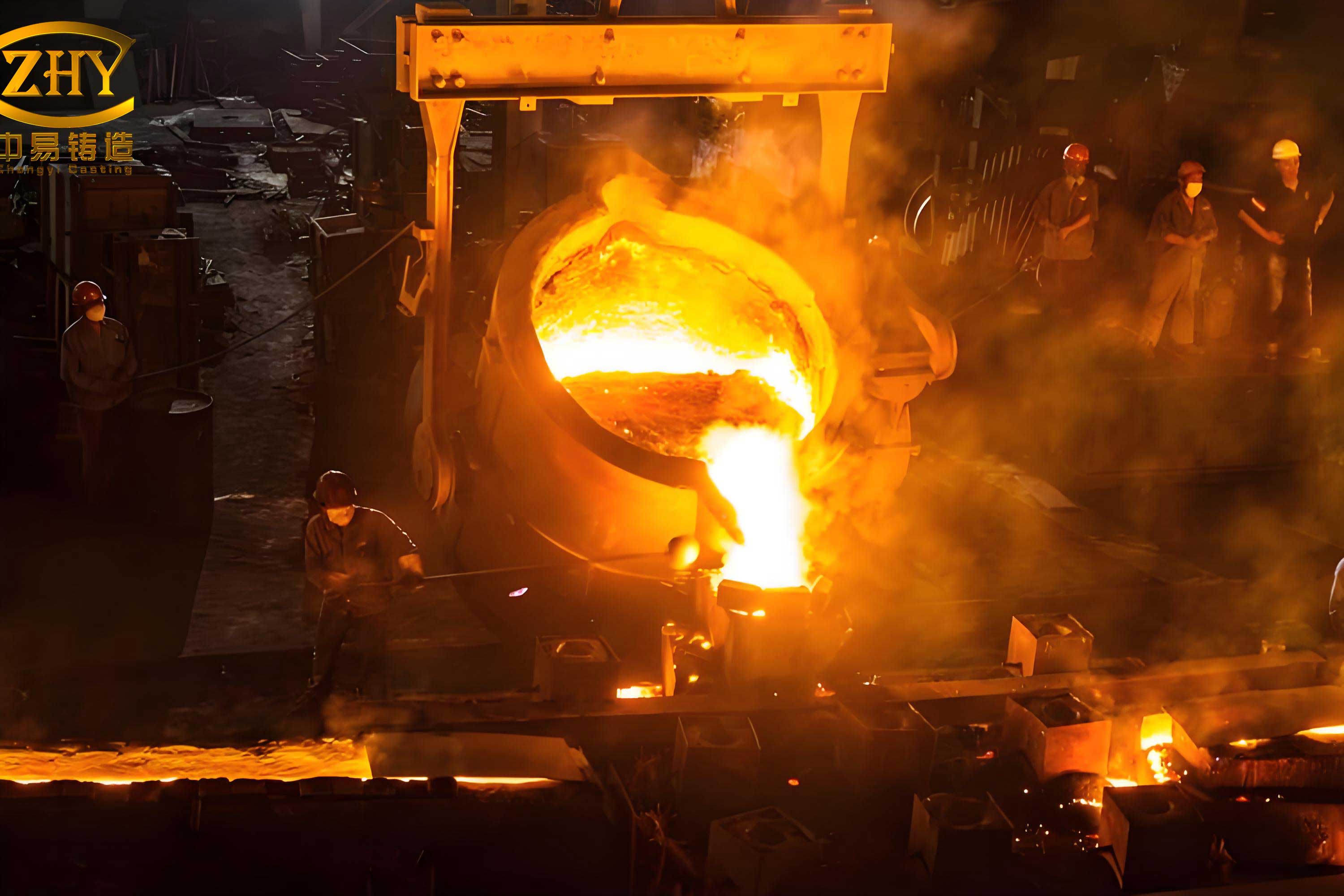
The traditional method of educating students on foundry practices, specifically gravity sand casting, often relies on static textbooks, basic demonstrations, and limited hands-on sessions. This pedagogical approach, while foundational, struggles to convey the dynamic, multi-sensory, and procedural nature of the craft. It is frequently described as rigid and disengaging, leading to suboptimal knowledge retention. Establishing and maintaining a fully-equipped, operational foundry laboratory for practical training presents significant financial and logistical barriers for most institutions. The costs associated with equipment, consumable materials like molding sand and metal alloys, and dedicated facility space are prohibitively high. Furthermore, the hands-on process inherently involves considerable safety hazards, including exposure to high-temperature molten metal, airborne particulates, and heavy machinery operation, posing substantial risks to inexperienced students. To bridge this gap between theoretical knowledge and practical competency while mitigating cost and risk, the integration of Virtual Reality (VR) technology into the educational curriculum presents a transformative solution. This article details the first-person development journey of an immersive, interactive virtual training system designed to simulate the complete gravity sand casting process, leveraging the powerful Unity3D game engine as its core development platform.
The Educational Imperative and Foundational Theory
The enduring relevance of sand casting in modern manufacturing underpins its continued presence in engineering curricula. As a versatile and economical process capable of producing complex geometries in a wide range of ferrous and non-ferrous alloys, understanding its principles is crucial for materials and mechanical engineers. The standard sand casting process involves a sequence of interrelated steps: pattern making, mold and core preparation, mold assembly, melting and pouring, solidification and cooling, and finally, shakeout, cleaning, and inspection. The goal of any training system is to instill a deep, intuitive understanding of this sequence, the function of each tool, and the cause-and-effect relationships governing the process.
The virtual training system is fundamentally grounded in the principles of gravity sand casting. The process relies on the force of gravity to fill the mold cavity with molten metal. The quality of the final casting is critically dependent on numerous interconnected factors, which can be conceptually grouped and analyzed. Key relationships governing mold filling and solidification can be expressed through fundamental equations. For instance, the theoretical pouring time ($t_p$) can be related to the casting mass ($W$) and the empirical coefficient ($S$) which accounts for part thickness and material:
$$t_p = S \sqrt{W}$$
The flow of molten metal, treated as an incompressible fluid, can be initially approximated using Bernoulli’s principle, relating velocity ($v$), height ($h$), and pressure ($P$) at different points in the gating system:
$$P_1 + \frac{1}{2}\rho v_1^2 + \rho g h_1 = P_2 + \frac{1}{2}\rho v_2^2 + \rho g h_2$$
Furthermore, the solidification time ($t_s$), a vital parameter determining microstructure and soundness, is often estimated using Chvorinov’s rule, where $V$ is the casting volume, $A$ is its surface area, and $n$ is a mold constant (typically ~2):
$$t_s = C_m \left( \frac{V}{A} \right)^n$$
While the virtual system does not perform real-time computational fluid dynamics or solidification analysis, its design and scripted behaviors are informed by these physical principles to ensure procedural accuracy.
Architecting the Virtual Solution: A Multi-Software Pipeline
The development of a high-fidelity virtual training system necessitates a structured pipeline employing specialized software tools, each handling a distinct phase of asset creation and integration. The chosen workflow ensures efficiency, asset compatibility, and high-quality output.
| Development Phase | Primary Software | Core Function | Output for Next Phase |
|---|---|---|---|
| 1. 3D Modeling & Geometry Creation | UG NX | Creation of accurate, water-tight 3D models of all physical components (patterns, flasks, tools, furnace, ladle, castings). | High-precision CAD models (.prt, .step). |
| 2. Asset Optimization & Animation | 3ds Max | Mesh simplification, UV unwrapping, material/texture application, skeletal rigging, and keyframe animation of all process motions. | Animated, textured 3D models (.fbx format). |
| 3. System Integration & Logic | Unity3D | Scene assembly, physics/collision setup, user interface (UI) design, scripting of interactivity and system logic, final build compilation. | Standalone executable application (.exe). |
| 4. Process Simulation & Data Enrichment | Cast-Designer (Huazhu CAE) / Equivalent | Numerical simulation of mold filling and solidification to generate temperature field data for educational overlay. | Simulation results (images, videos, data files). |
Phase 1: Precision Modeling with UG NX
The foundation of any credible virtual environment is the accuracy of its constituent models. Using UG NX, a comprehensive digital toolkit for the gravity sand casting process was created. This library included not only the final castings but, more importantly, all the tooling and equipment required to produce them. Key models developed were:
- Patterns: Split patterns for a generic pulley and a valve body, including core prints.
- Molding Equipment: Different sizes of drag and cope flasks, molding boards, riddles (sand sieves), rammers, vent wires, and trowels.
- Pouring Equipment: A crucible furnace model, a transfer ladle, and a pouring shank.
- Finishing Tools: Grinders and cut-off wheels for cleaning operations.
The modeling process emphasized geometric accuracy and clean topology to ensure trouble-free import into the animation and game engines. Special attention was paid to features like parting lines, draft angles, and fillets, which are critical teaching points in pattern design for successful **sand castings**.
Phase 2: Bringing Models to Life with 3ds Max
The static UG NX models were imported into 3ds Max for preparation and animation. The first step was mesh optimization—reducing polygon count while preserving visual fidelity to ensure smooth performance in real-time rendering. Subsequently, detailed UV maps were unwrapped for each model, allowing for the application of high-quality, realistic textures (e.g., wood grain for patterns, worn metal for tools, granular surfaces for sand).
The core task in 3ds Max was choreographing the entire casting process through keyframe animation. This involved creating logical sequences for:
- Mold Preparation: Animating the placement of the drag pattern on the board, filling with sand, ramming, venting, rolling over, and preparing the cope.
- Gating & Pouring: Animating the cutting of sprue, runner, and gate channels, followed by the realistic tilting and pouring motion of the ladle, simulating the flow of molten metal into the mold cavity.
- Shakeout & Cleaning: Animating the separation of the mold, knockout of the raw casting, and the subsequent cutting of gates and risers followed by grinding.
These animations were baked into the FBX files, preserving the transformation data of every object over time, ready for controlled playback within Unity3D.
Phase 4: Enrichment with Process Simulation Data
To transcend a purely visual replication and incorporate deeper engineering analysis, the system was augmented with results from casting simulation software. Using the geometry of one of the target **sand castings**, a filling and solidification analysis was conducted in a dedicated CAE package. The simulation calculated the progressive temperature distribution within the casting and mold over time. Key outputs integrated into the virtual training system included:
- Temperature Field Contours: A sequence of images or a video showing the evolution of solidification fronts, highlighting potential last-to-freeze zones prone to shrinkage porosity.
- Cooling Curve Data: Theoretical cooling curves for specific nodes within the casting, illustrating the arrest points at phase change temperatures.
This integration allows learners to not only perform the virtual operation but also to visualize and understand the critical thermal phenomena occurring inside the mold after pouring—a layer of insight utterly impossible in a purely physical, observation-based lab session. The thermal history directly controls the microstructure and mechanical properties of the final **sand castings**, making this a vital educational component.
System Development and Integration in Unity3D
Unity3D served as the central nervous system, integrating all assets and scripting the interactive experience. The development within Unity followed a structured approach to ensure usability, immersion, and educational efficacy.
| System Component | Development Task | Tools & Technologies Used |
|---|---|---|
| User Interface (UI) | Design of welcome screen, main menu, process flowchart, interactive tooltips, and control panels. | Unity Canvas, UI Image/Button/Text components, Sprite creation. |
| Scene Management | Creation of distinct virtual environments (foundry floor, tool rack, pouring area) and seamless transitions between them. | Unity Scenes, SceneManager API, DontDestroyOnLoad methods. |
| Interaction Logic | Scripting for object pickup, button presses, animation triggering, tool selection, and procedure validation. | C# scripts, Unity Event System, Colliders and Triggers. |
| Animation Control | Segmentation of master animations into discrete steps and linking them to user inputs or UI prompts. | Unity Animator Controller, Animation Clips, State Machines, Script-driven Animator parameters. |
| Visual Feedback | Implementing highlighting of interactive objects, displaying names/instructions, and playing sound effects (e.g., ramming, pouring, grinding). | C# scripts for material property alteration, UI World-Space canvases, Unity AudioSource. |
Scripting the Intelligence: The Role of C#
The interactivity and “intelligence” of the virtual training system are entirely driven by custom C# scripts attached to GameObjects. These scripts define the behavior and response of every interactive element. Key script functionalities developed include:
- First-Person Character Controller: A script allowing users to navigate the virtual foundry space using standard keyboard (WASD) and mouse (look) inputs, providing a sense of physical presence.
- Object Interaction: Scripts enabling users to look at an object (e.g., a rammer), receive a visual highlight and tooltip, and upon clicking, “pick it up” and use it in the correct context (e.g., ramming the sand in the drag flask).
- Procedure Manager: A central script that tracks the user’s progress through the sand casting steps. It validates actions (preventing the user from pouring before the mold is assembled) and controls the sequential unlocking of animations and subsequent steps. The procedural knowledge for creating **sand castings** is encoded within this logic.
- Animation Sequencer: Upon user confirmation of a correct action (e.g., placing the pattern correctly), this script triggers the corresponding pre-built animation segment from 3ds Max, visually demonstrating the proper technique and outcome.
- UI Controller: Scripts handling all button clicks, menu navigation, and the display of supplementary information like the CAE simulation results or safety instructions.
The modular nature of C# scripting in Unity allowed for the construction of a complex, rule-based simulation environment that guides the user while also permitting exploratory learning within the bounds of the physical process.
Assembling the Virtual Experience
With scripts in place, the final assembly involved populating Unity scenes with the imported FBX models, arranging them into a logical workshop layout. The user interface was overlaid, providing clear menus and instructions. The Animator Controllers were configured, breaking the long process animations into states like “DragFilling,” “Ramming,” “SprueCutting,” and “Pouring.” Transitions between these states were wired to the Procedure Manager script.
A critical design decision was to adopt a hybrid interaction model: users actively select tools and initiate steps, after which the system plays a high-fidelity animation demonstrating the correct execution. This balances user agency with the assurance of observing proper technique, which is crucial for learning a skilled manual process like creating **sand castings**. The system also includes a “free observation” mode, where the entire process from start to finish can be played automatically, with pause and rewind functionality, allowing students to review complex sequences.
The final step was building the project into a standalone Windows executable (.exe). Unity’s cross-platform capability means the system can also be deployed for VR headsets like HTC VIVE or Oculus Rift, where motion controllers replace mouse-click interactions, enhancing the sense of immersion and manual engagement—truly making the user feel as if they are handling the tools and creating **sand castings** themselves.
Pedagogical Impact and Concluding Reflections
The completed virtual training system for gravity sand casting represents a significant shift in foundry education methodology. It successfully addresses the core limitations of traditional teaching by providing a safe, cost-effective, repeatable, and richly detailed simulation environment. The pedagogical benefits are multi-faceted:
- Unconstrained Access & Repetition: Students can practice the entire process an unlimited number of times, from any location, without consuming physical materials or requiring direct instructor supervision for safety.
- Visualization of the Invisible: The integration of CAE simulation results allows students to visualize thermal gradients and solidification sequences—phenomena hidden within an actual mold. This bridges the gap between practical action and underlying materials science principles.
- Standardized Training: Every student experiences the process performed to an optimal standard, eliminating the variability and potential for learning incorrect techniques that can occur in busy physical labs.
- Error Exploration & Consequence: While the primary system guides correct procedure, modules can be developed to simulate common errors (e.g., insufficient ramming, incorrect gating) and visually demonstrate their consequences (mold wall collapse, misruns, shrinkage defects), turning mistakes into powerful learning moments without any real-world scrap or hazard.
The development process itself, traversing from CAD modeling to real-time interactive simulation, underscores the interdisciplinary skills modern manufacturing engineering requires. This virtual training system is not merely a replacement for physical practice but a powerful complementary pre-training tool. It ensures that when students eventually enter a physical foundry, they do so with a robust mental model of the process, the terminology, and the sequence of operations, thereby increasing their confidence, safety awareness, and the educational value derived from limited hands-on time. The fusion of virtual reality technology with the ancient art of casting represents a necessary evolution in engineering education, one that promises to train more knowledgeable, proficient, and innovative creators of the **sand castings** that remain foundational to global industry.